

Description
Download Album Design 6 Advanced – photo album software, album design tool, digital album creator, professional photo album maker
Overview
Album Design 6 Advanced is a desktop application designed for creating polished, professional-quality photo albums. The software provides a comprehensive toolkit tailored for users who need to produce high-impact visual narratives from digital images. With over 300 customizable templates, it enables photographers, event planners, and creative professionals to transform raw photo collections into cohesive, print-ready albums. The software addresses common challenges in album design, such as layout consistency, image formatting, and color harmony, streamlining the workflow from concept to final output.
Target users include professional photographers seeking to deliver premium products to clients, small business owners offering personalized photo services, and hobbyists aiming for polished results without extensive design experience. The software is built to support both casual and professional use cases, allowing for rapid prototyping and refined output. While the developer, Album Design, has not provided detailed background information, the product’s focus on template-driven design suggests a strong emphasis on usability and visual consistency.
Real-world applications include wedding album creation, corporate event documentation, family memory preservation, and marketing portfolios. The ability to generate print-optimized files ensures compatibility with professional printing services. The software’s structured approach helps users maintain brand identity across multiple projects, making it suitable for repeat-use in creative workflows.
Key Features & Capabilities
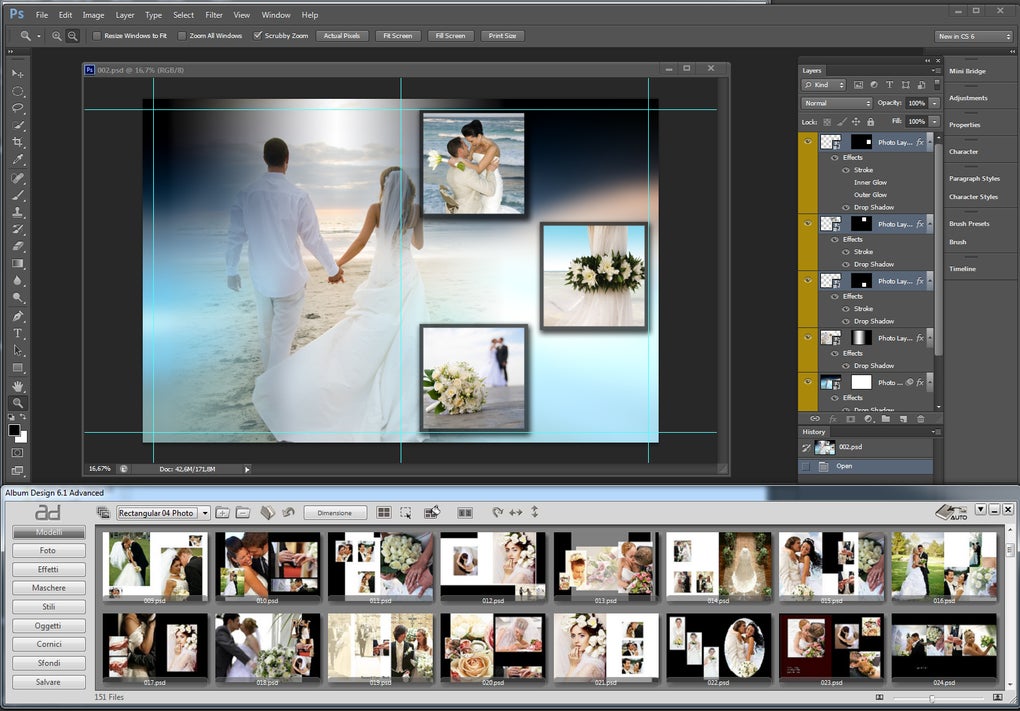
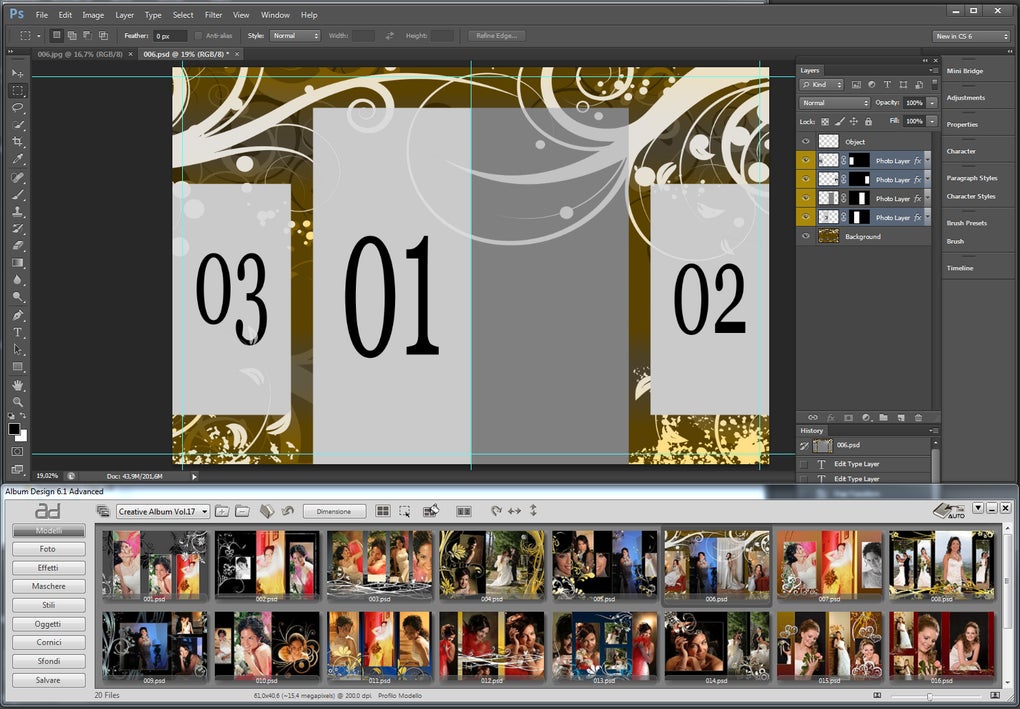
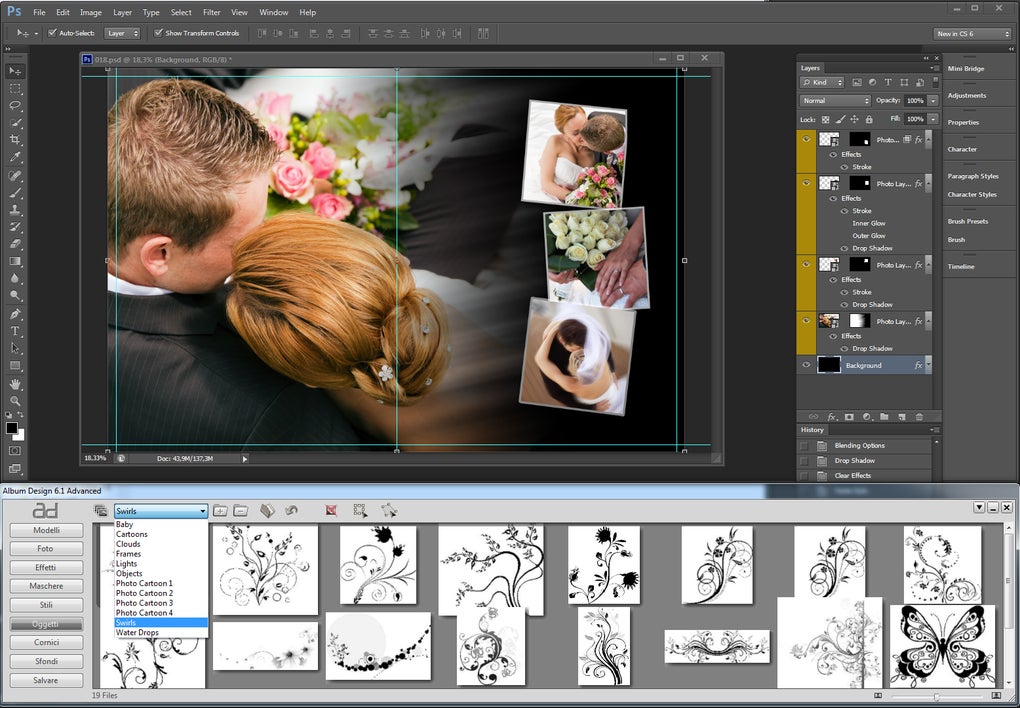
- 300+ Professional Templates – Offers a wide range of pre-designed layouts for various themes and occasions, including weddings, birthdays, travel, and corporate events. Each template is optimized for visual balance and print quality.
- Customizable Layouts – Allows users to adjust spacing, image size, text placement, and color schemes to match personal or client branding needs.
- Image Optimization Tools – Includes automated tools for resizing, cropping, and enhancing photo quality to ensure consistent visual standards across the album.
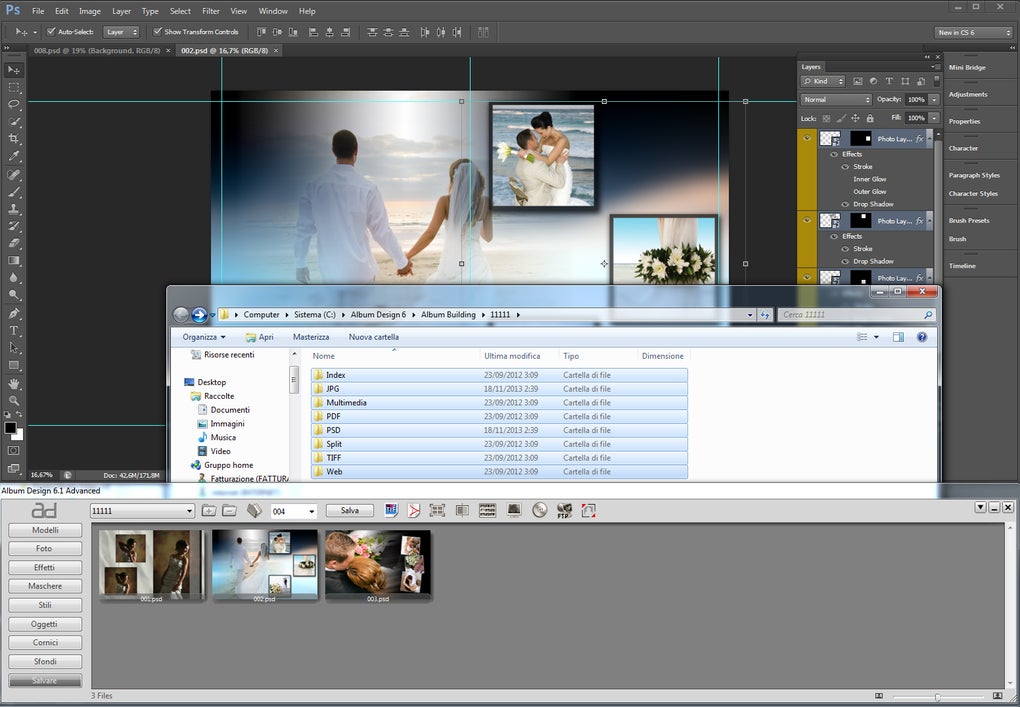
- Print-Ready Output – Generates high-resolution files compatible with professional printing services, supporting multiple paper types and binding styles.
- Batch Processing – Enables users to apply the same design settings across multiple albums, reducing repetitive tasks and improving workflow efficiency.
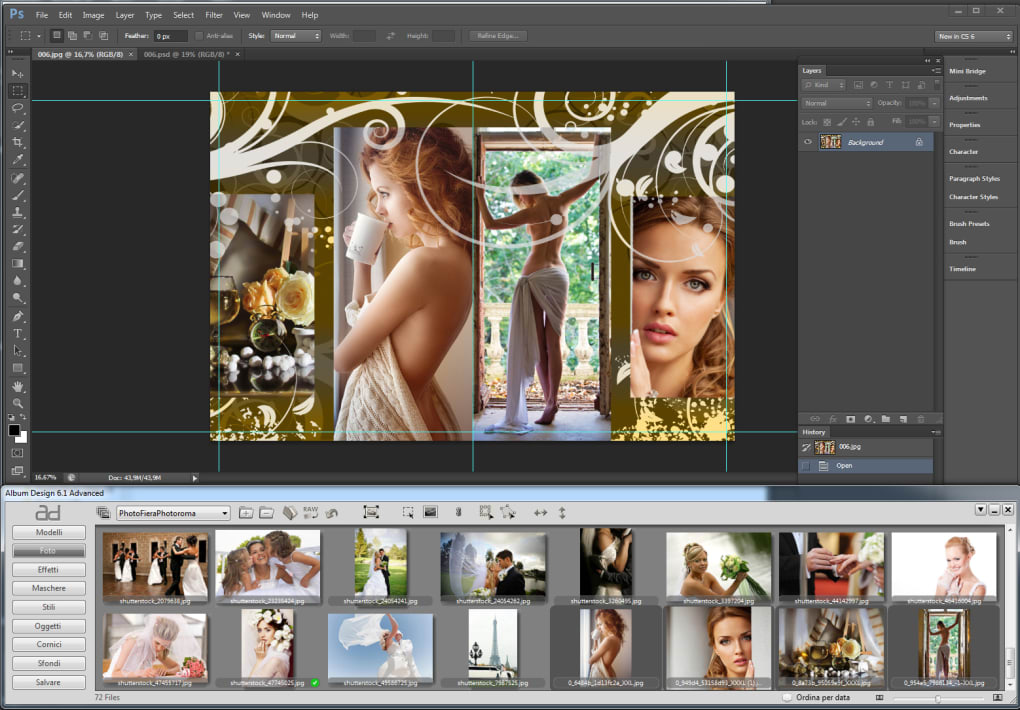
These features support a range of practical use cases. For instance, a wedding photographer can quickly assemble a client’s event highlights using a themed template, apply consistent branding, and export a print-ready file. Similarly, a small business owner can create branded photo albums for clients with minimal design effort. The software’s focus on templates and automation helps users maintain visual consistency while reducing the time spent on manual layout adjustments.
User Interface, Workflow & Performance
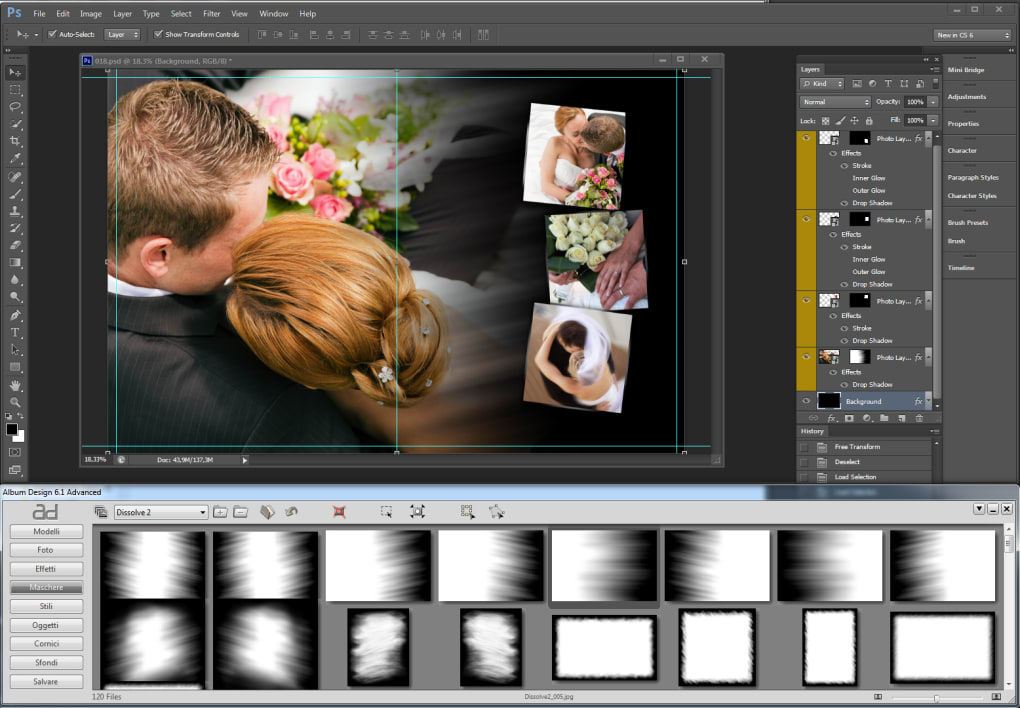
The user interface of Album Design 6 Advanced is structured around a central workspace with side panels for media management, template selection, and design controls. Navigation is intuitive, with clearly labeled menus and a drag-and-drop interface for placing images into layouts. The workflow is linear and logical, guiding users from importing photos to final export, with minimal need for switching between modes or tools.
Design adjustments are made through a combination of visual controls and numerical inputs, allowing both novice and experienced users to achieve precise results. The software supports real-time previews, enabling users to see changes immediately without rendering delays. While specific performance data such as CPU or RAM usage was not provided, the application is expected to handle moderate-sized photo libraries efficiently, given its desktop-based architecture and focus on template-driven workflows.
Stability is assumed to be consistent with standard desktop applications in its category, though no formal benchmarks or crash reports were shared. The developer did not specify resource usage details, but general software behavior suggests that performance will vary based on the number of images, template complexity, and system hardware.
Compatibility & System Requirements
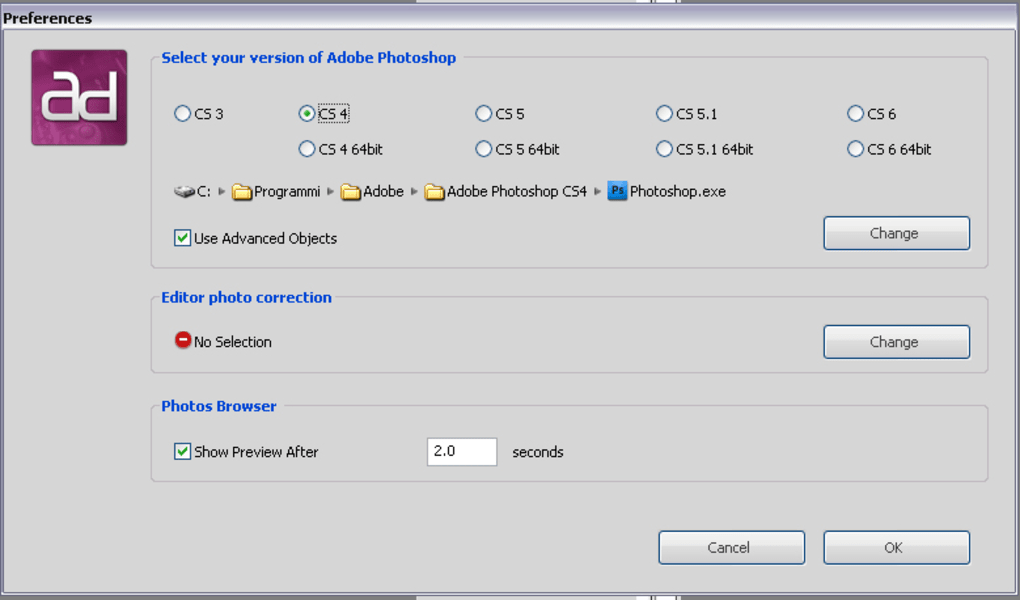
Album Design 6 Advanced is available for both Windows and Mac operating systems, making it accessible to a broad user base across major desktop platforms. The software requires 250 MB of disk space for installation, indicating a lightweight footprint relative to other design tools in its category.
Exact system requirements were not listed, including details on minimum processor speed, RAM, or graphics capabilities. Compatibility information is limited to the operating systems and file size. Users are advised to ensure their system meets standard desktop application requirements, particularly when working with high-resolution images or large albums.
Platform compatibility is confirmed for both Windows and Mac, supporting users across different environments. The software is designed to function as a standalone desktop application, with no mandatory internet connection required for core functionality.
Pros and Cons
Pros
- Over 300 professionally designed templates for immediate use
- Streamlined workflow for rapid album creation
- Print-ready output with high-resolution file generation
- Customizable layouts for branding and personalization
- Supports batch processing for efficient multi-project work
Cons
- No publicly available system requirements beyond OS and size
- Performance metrics not disclosed
- Template customization may have limitations depending on software depth
- Price point may be high for casual users
- Offline-only functionality may limit cloud collaboration
FAQ Section
Is Album Design 6 Advanced compatible with Windows and Mac?
Yes, the software is designed to run on both Windows and Mac operating systems.
Does the software require an internet connection to function?
Album Design 6 Advanced operates as a standalone desktop application. While internet access may be needed for updates or licensing verification, core features do not require an online connection.
Can I use the templates for commercial projects?
Yes, the templates are intended for both personal and commercial use, allowing users to deliver finished albums to clients or sell as part of a service.
How often are updates released?
Specific update frequency was not provided. Users should check the developer’s official website for the latest version and release notes.
What file formats are supported for export?
The software generates print-ready files, though exact export formats were not specified. Common formats such as PDF and high-resolution image files are likely supported.
Final Thoughts
Album Design 6 Advanced stands out as a specialized tool for professionals and serious hobbyists seeking to produce polished photo albums with minimal design effort. Its extensive template library, combined with intuitive customization and print-ready output, makes it a strong choice for photographers, event planners, and creatives who value consistency and efficiency. While detailed system requirements and performance data are not available, the software’s lightweight installation size and cross-platform availability suggest broad accessibility.
For users who prioritize visual quality and workflow speed, Album Design 6 Advanced offers a compelling solution. Its focus on templates and automation reduces the learning curve, enabling faster project turnaround. The $49.99 price point reflects its professional-grade capabilities, though it may be less suitable for occasional users.
Download Album Design 6 Advanced now
Guides & Tutorials for Album Design 6 Advanced
How to install Album Design 6 Advanced
- Click the Preview / Download button above.
- Once redirected, accept the terms and click Install.
- Wait for the Album Design 6 Advanced download to finish on your device.
How to use Album Design 6 Advanced
This software is primarily used for its core features described above. Open the app after installation to explore its capabilities.
User Reviews for Album Design 6 Advanced 0
No reviews found





.webp)